SOKKAN Atelier
For people who want a result, not a tool.
- Ask for a piece of work, in English or in French
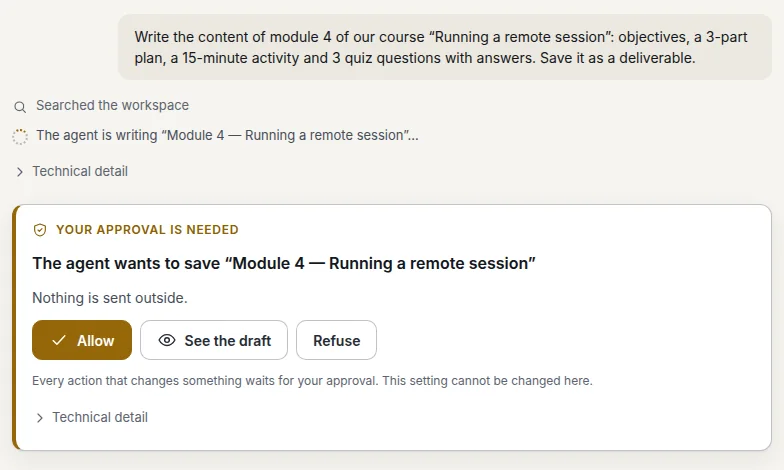
- Approve a card before anything is saved
- Every answer says which model wrote it
- Deliverables download as Word
 KKAN
SOKKAN Atelier · the AI assistant for the whole team
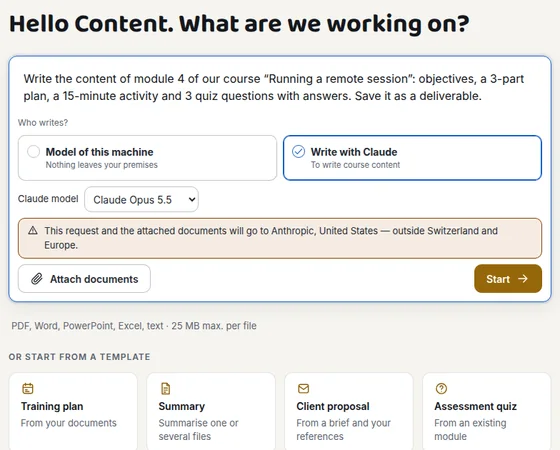
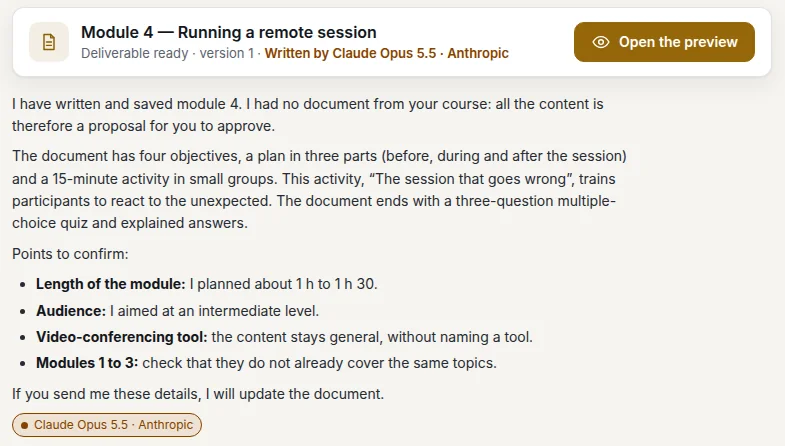
You describe what you need, the assistant drafts it from your documents, and nothing is saved without your approval. Every answer says which model wrote it. What the team has decided stays in a shared memory, for next time.
Real screenshots of SOKKAN Atelier (version 3.6.7, English interface) on a demo instance with fictitious data; the example texts were scripted for the capture.
SOKKAN Atelier · three steps
The Atelier is made for teams whose work is documents: training, consulting, administration, communication. You start with a question, not with a tool.
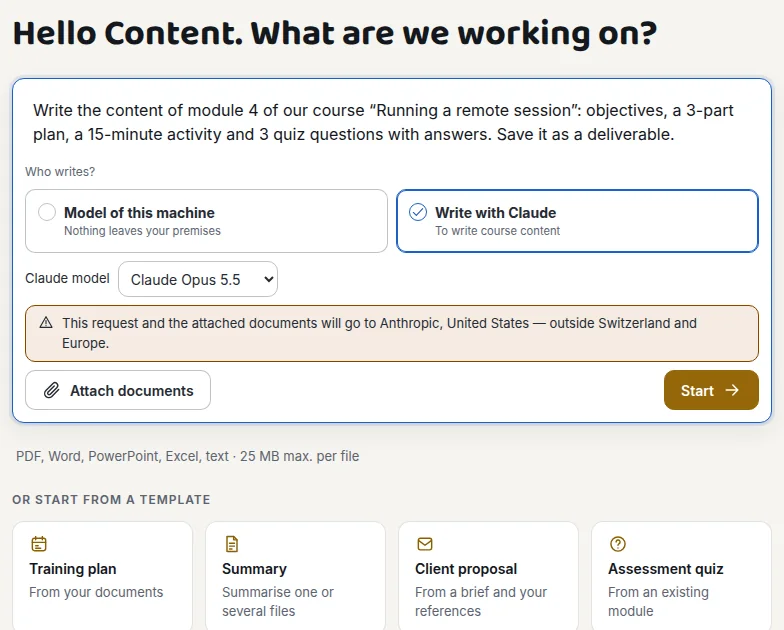
Write what you want, as you would to a colleague, and attach your files (PDF, Word, PowerPoint, Excel). Or start from a template: training plan, summary, client proposal, quiz. You choose who writes: the model on the machine, or Claude when the project allows it.
The assistant never files anything behind your back. Before saving a deliverable, it shows you a card: what it wants to save, the documents it read and how old they are. You read the draft, correct it if needed, then allow or refuse. Every approval is dated and logged.
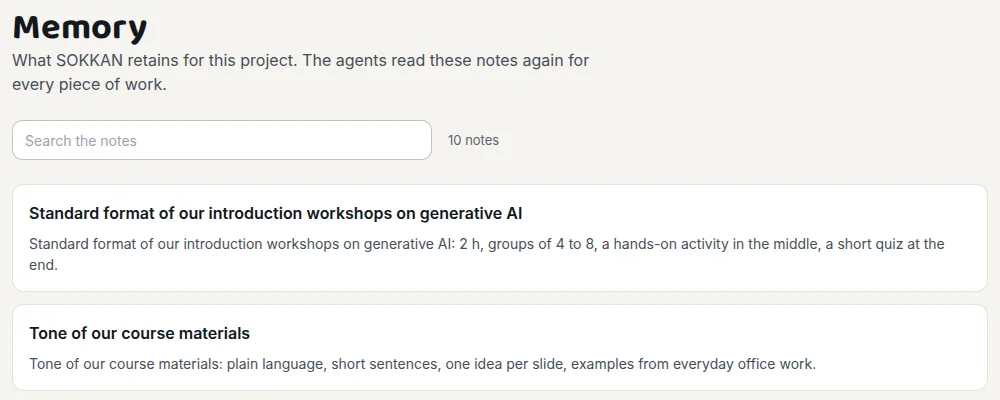
Everything approved is in My work, ready to download as Word. And when the team sets a rule (“our quizzes have ten questions at most”), it goes into the project memory: the assistant rereads it for every new piece of work, for everyone. The more you work, the less you repeat yourself.
Transparency
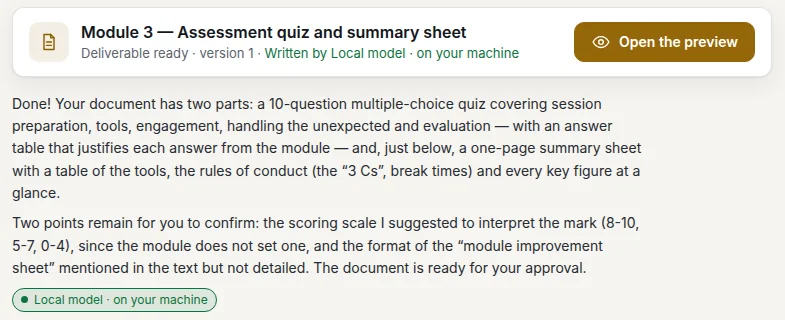
Every answer and every deliverable carries a label: the model that wrote it, and where it runs. The administrator decides which projects may use Claude; confidential projects stay on the machine’s model, no exceptions.
Two interfaces, one memory
Not everyone in a company does the same job. With SOKKAN, one company account holds both: each person picks their interface, and everyone works on the same memory and the same inference.
For people who want a result, not a tool.
For people who run agents every day.
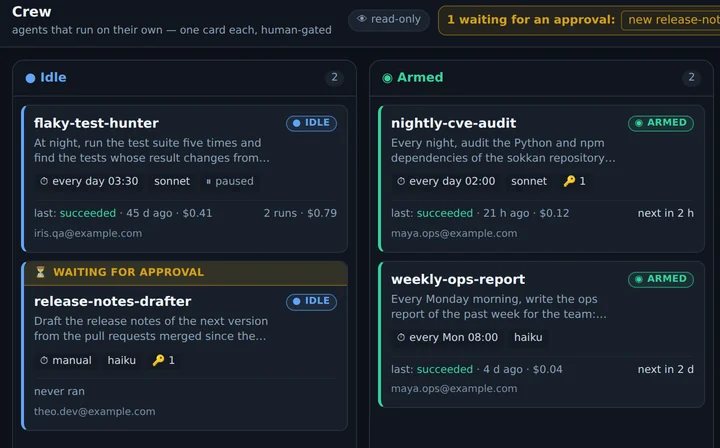
SOKKAN Atelier is in beta in SOKKAN 3.6: it is switched on per instance. Both can be visited read-only, no account needed: the Atelier and the Cockpit, on fictional work already done.
Your data
SOKKAN Cloud: one dedicated machine per customer, in Geneva, operated by Ninabot Sàrl. Your documents and your memory stay in Switzerland.
On your own server, or in a box delivered ready to plug in. With the machine’s model, nothing leaves your premises: not the documents, not the memory.
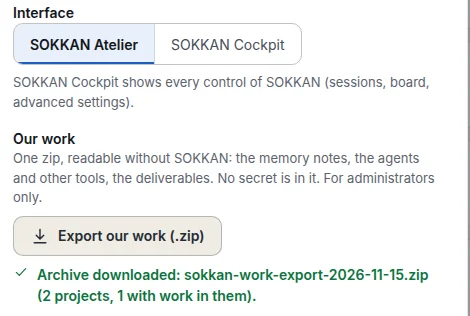
One button, a single zip file: the memory notes, the agents and the deliverables, readable without SOKKAN. No secret is included.
SOKKAN Cloud · pricing
The same SOKKAN, minus the ops: a dedicated VM in the Geneva zone, your own private network, your URL at you.sokkan.ch. Bring your Anthropic key or take managed inference, served from our own GPUs in Geneva (fallback in France, or a 100% Swiss tier), prepaid credits from CHF 25 (+25% credits from CHF 500), metered per token. Free 14-day trial on every plan: card required, first charge on day 14, cancel in one click before (trial seats are limited).
Grow from the cockpit: worker instances from CHF 59/mo · managed PostgreSQL from CHF 99/mo (daily backups), inside your private network. Web exposure included: HTTPS subdomains and your own domains, automatic certificates, at no charge. Prorated billing, provisioning after payment, cancel monthly.
Hosted at Exoscale (Geneva), operated by Ninabot Sàrl: your data stays in Switzerland. Not sure about sizing? [email protected], you’ll get the founder, not a bot.
In the press: ICTjournal, “Ninabot launches a Geneva-hosted cloud for AI agents” (in French, 04.08.2026).
For technical teams
SOKKAN is released under the Apache-2.0 licence: the same product, the same repository, whether you host it or we operate it. The managed cloud pays for operations, not for crippled features.
The Cockpit is an agentic studio: a kanban board where every card becomes an agent session, human sign-off on every action that changes something, scheduled agents, a secrets vault, per-session costs and an audit log. The code on GitHub →
Free, no limits
Docker, plus your Anthropic key or your Claude Pro/Max subscription. Everything stays on your machine.
$curl -fsSL https://sokkan.ch/install.sh | sh
Requirements: Linux (or macOS with Docker Desktop), about 4 GB of RAM. No Docker? The script offers to install it (official get.docker.com script).
Agents’ permission requests and questions become buttons. Nothing irreversible without your click, nothing marked done without you.
A production alert opens a session that knows the project, proposes a fix and waits for your green light, with a Telegram ping to come and give it.
Metrics and logs inside your network; your sessions read them and compose a dashboard on request.
Encrypted and injected into sessions as environment variables: the agent uses them without the value ever showing, on screen or to the model.
A procedure is a memory note. “Replay” opens a guided session, step by step, with human sign-off on anything irreversible.
Deploy an image to a worker in your fleet, roll back to the previous version in one click. Per-session costs, an audit log of every action.
Memory, measured
82%
of questions get the right note as the first result with SOKKAN 3.0’s memory on a GPU, against 42% with 2.x. Without a GPU, on a small server: 73%. The memory reviews itself (CortHeXis tab) and proposes its fixes, which wait for your approval.
Benchmark of 300 questions in French, English and German, asked of our own working memory (415 notes), 2–3 October 2026. “First result”: the expected note comes out on top; MRR: mean reciprocal rank (1 = always on top). Memory in detail, method and profiles · CortHeXis, the open-source engine.
Going further